 Dwel
Help › Lists and boards
Lists and boards
Tasks is a list. The same tasks can be a board instead: columns you move cards between, the way you’d plan a weekend on a whiteboard.
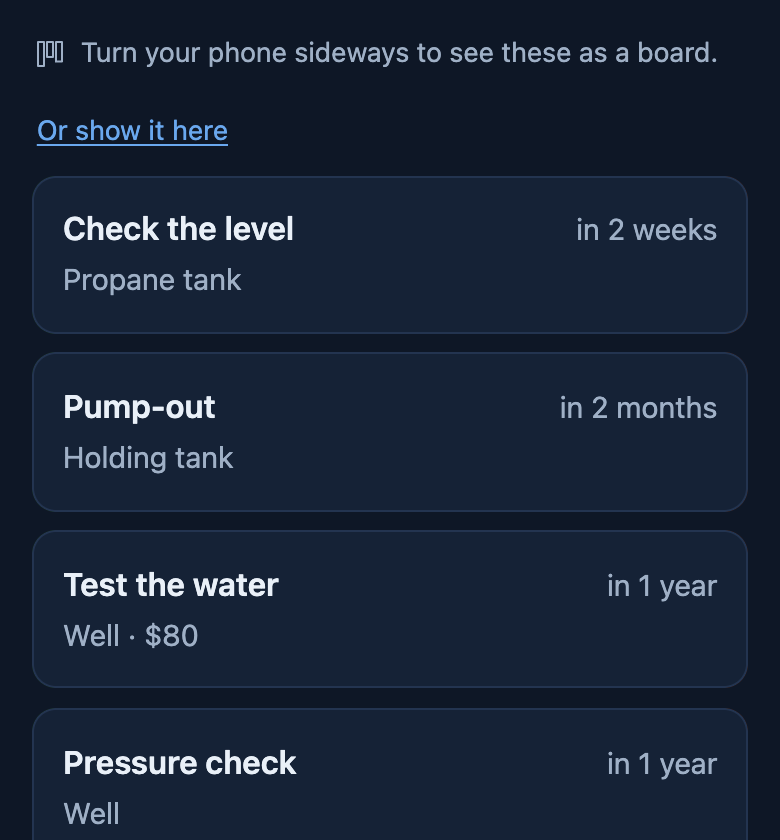 Upright, Tasks is a list.
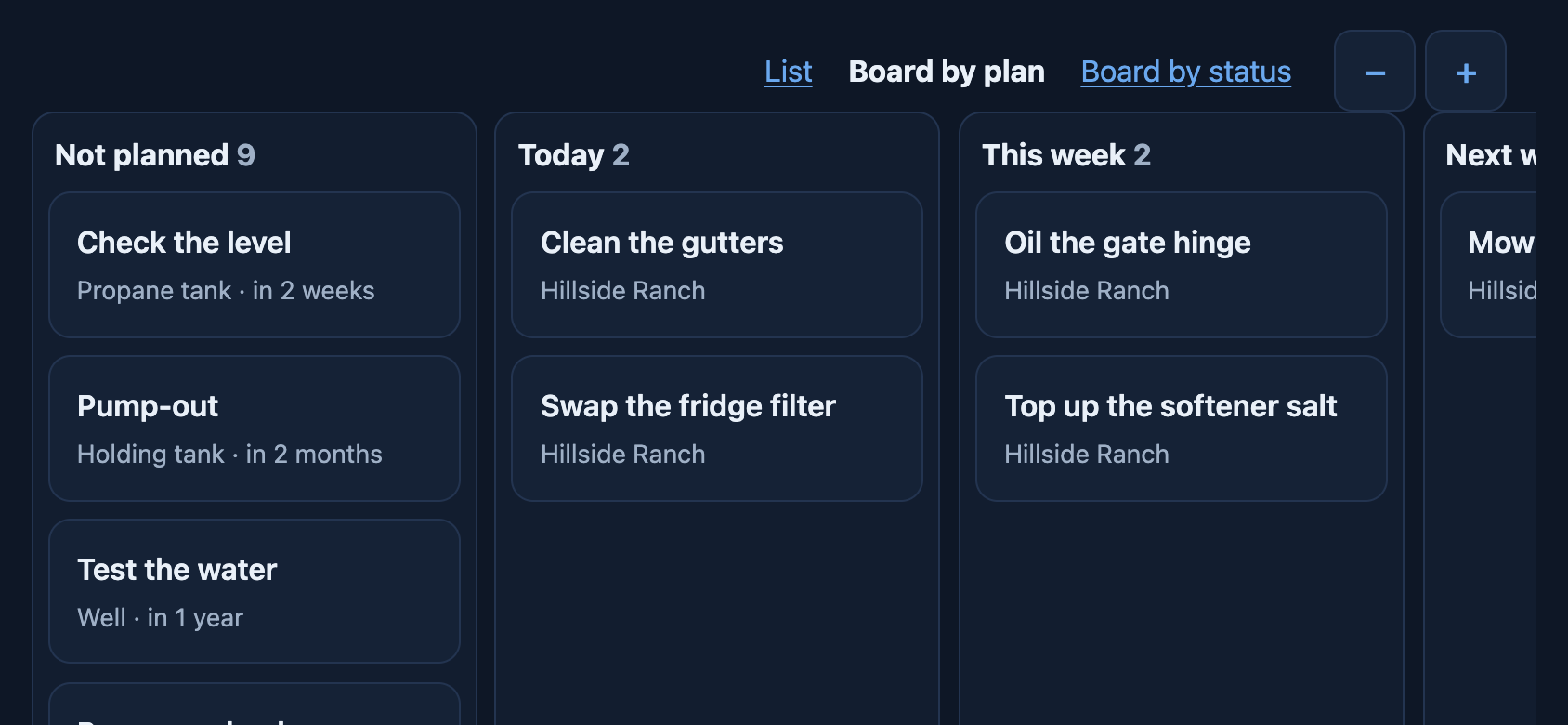 Turn the phone sideways: the board.
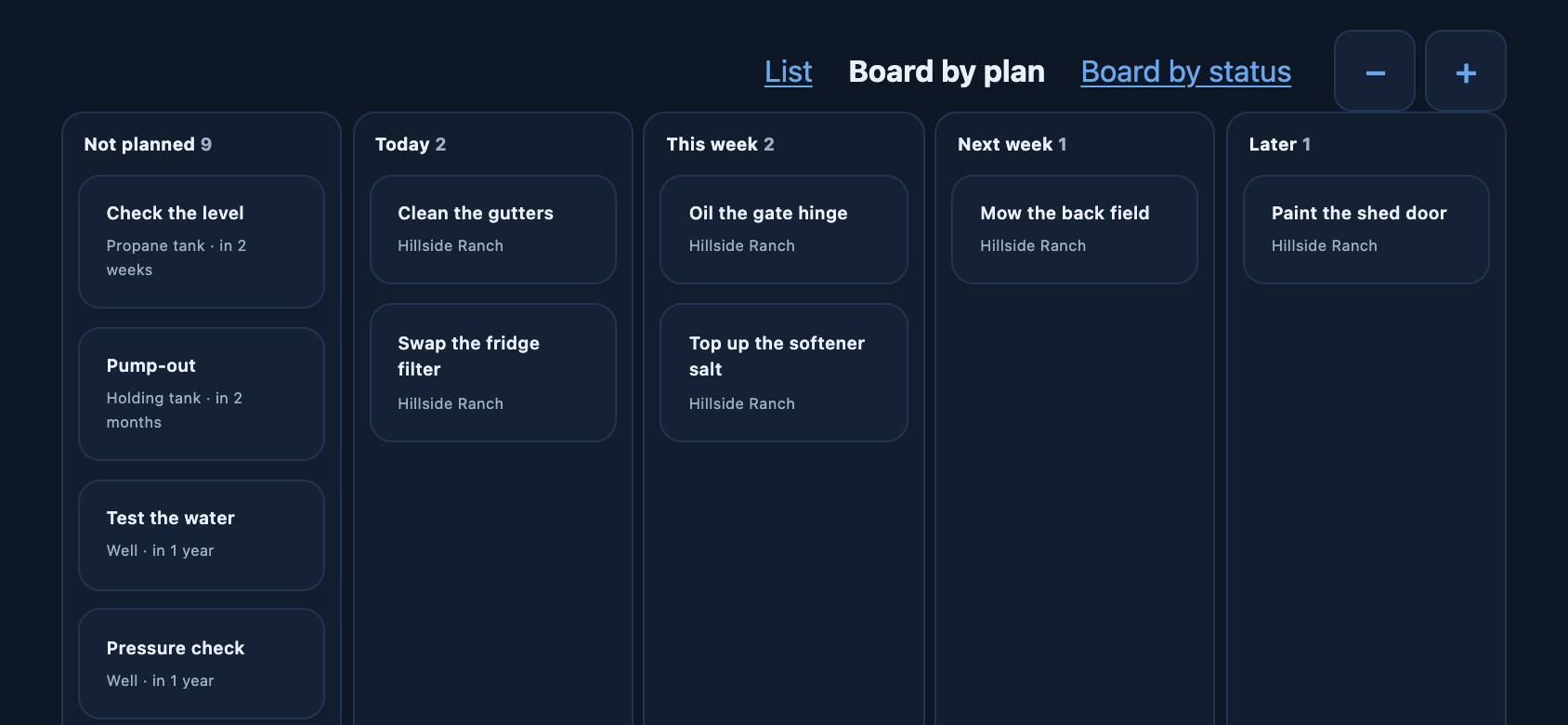 Zoom out to see every column.
Getting to the board
On Tasks, turn your phone sideways. Turn it back and the list returns. If your phone’s rotation is locked, tap Or show it here under the hint, or at the top. On a computer or a tablet there’s room for it as it is.
By plan, or by status
| Board | Columns |
|---|---|
| By plan — when you mean to do it | Not planned, Today, This week, Next week, Later |
| By status — where it’s got to | To do, In progress, Waiting, Done (the last 7 days) |
A saved list can be a board too, with only what that list holds.
Moving a card
Drag the card to another column. On a phone, hold your finger on it for a moment until it lifts, then drag; a quick swipe just scrolls the board. Near the edge, the board scrolls to bring the next column in. Moving a card on the plan board changes when you mean to do it; on the status board it changes where it’s got to. Tap a card to open the task.
With a keyboard, Tab to a card and a box appears for picking the column.
Seeing more columns
Pinch the board to zoom out or in, or use and at the top. It remembers how far you zoomed.