 Dwel
Help › Emergencies and shutoffs
Emergencies and shutoffs
When a pipe bursts or a fire is coming, you need the plan, the valve and the number — not a search. Write them down now, and they’re one tap from Home when you need them, with or without signal.
The Emergency button
The red button near the top of Home asks What’s happening? Water leak, fire or evacuating, gas smell, earthquake, flood, storm, power out — the ones your area is prone to come first. Under them is Who to call, one tap each: 911, then the numbers you keep for emergencies and the companies you use. adds one — Grandma to get the kids, the lawyer, the police non-emergency line.
Each situation shows, in order:
- Do now: your steps. A step can point at a shutoff (with where it is and ), a company or someone to call, an animal, a vehicle, a thing or a paper. A Call step takes their number right there, and gets a button. Do can be any word you like.
- Shutoffs that matter for it: the water ones for a leak, gas and electric for a gas smell.
- Take and If there’s time lists, for leaving in a hurry.
The first time, you’ll see a suggested plan, labelled with where it came from — Ready.gov, CAL FIRE’s Ready, Set, Go!, or common plumbing advice. It’s a draft until you save it: slide a step right to change it — the plumber can be your own plumber, with their number — or left to remove it, and of your own. makes it yours; leaves nothing behind. A saved plan works the same way. Steps that turn something off are pointed at your own shutoffs.
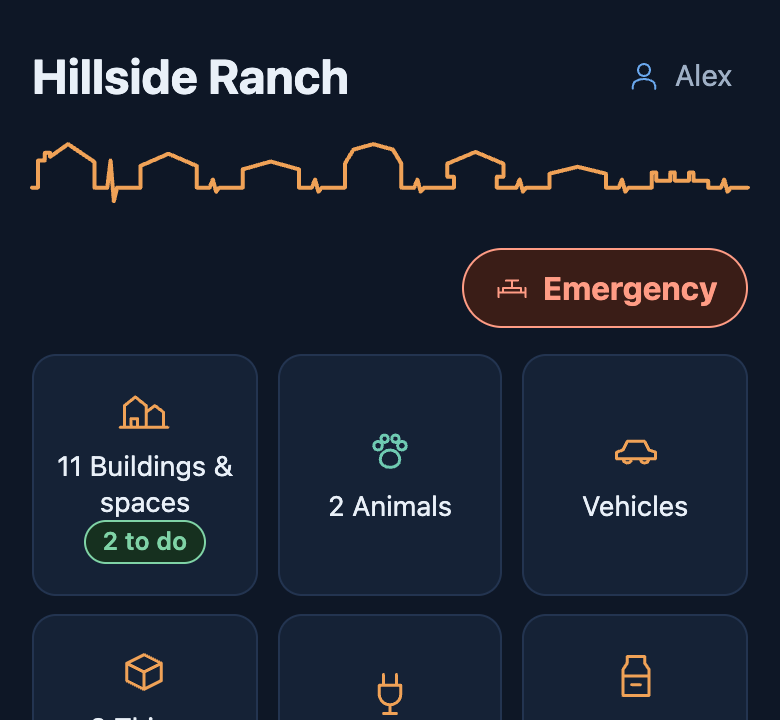 Tap Emergency on Home.
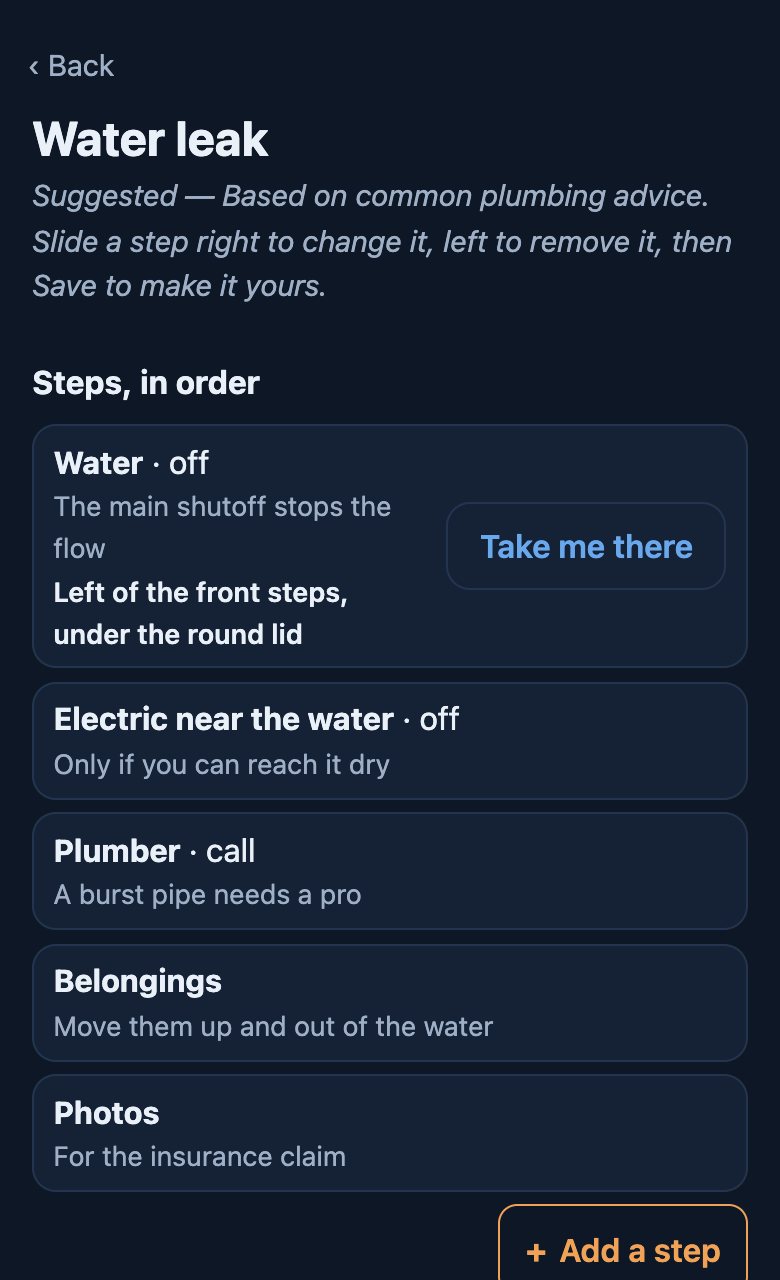 Water leak: a suggested plan, a draft until you save it.
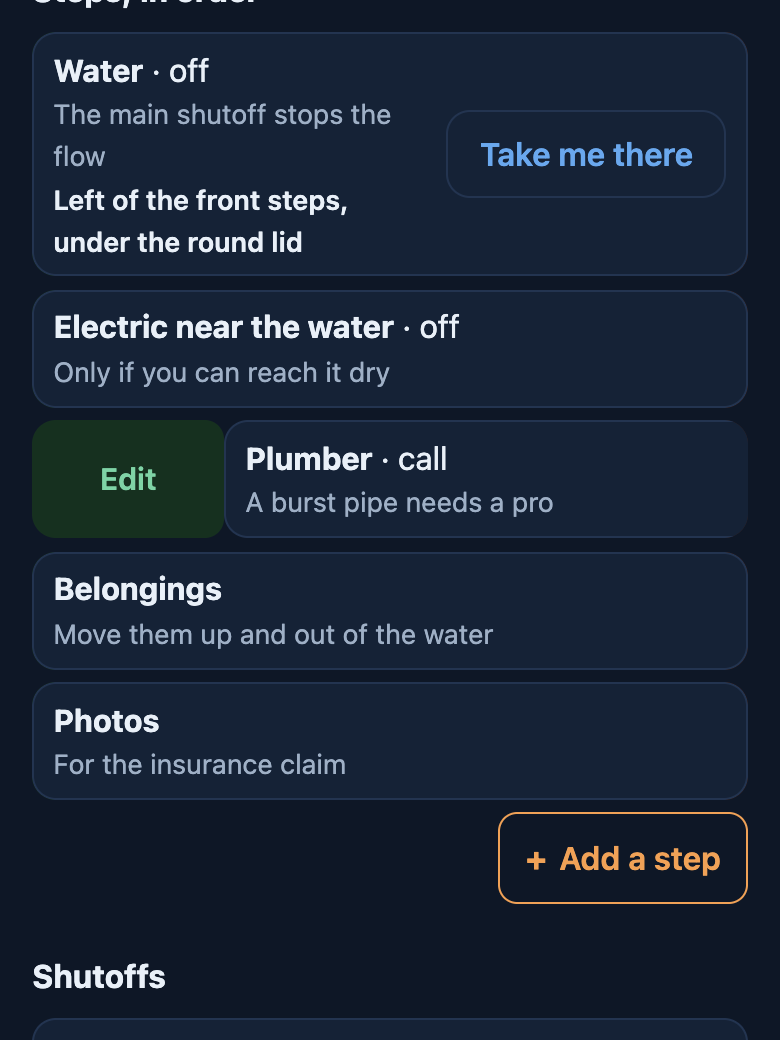 Slide a step right to change it.
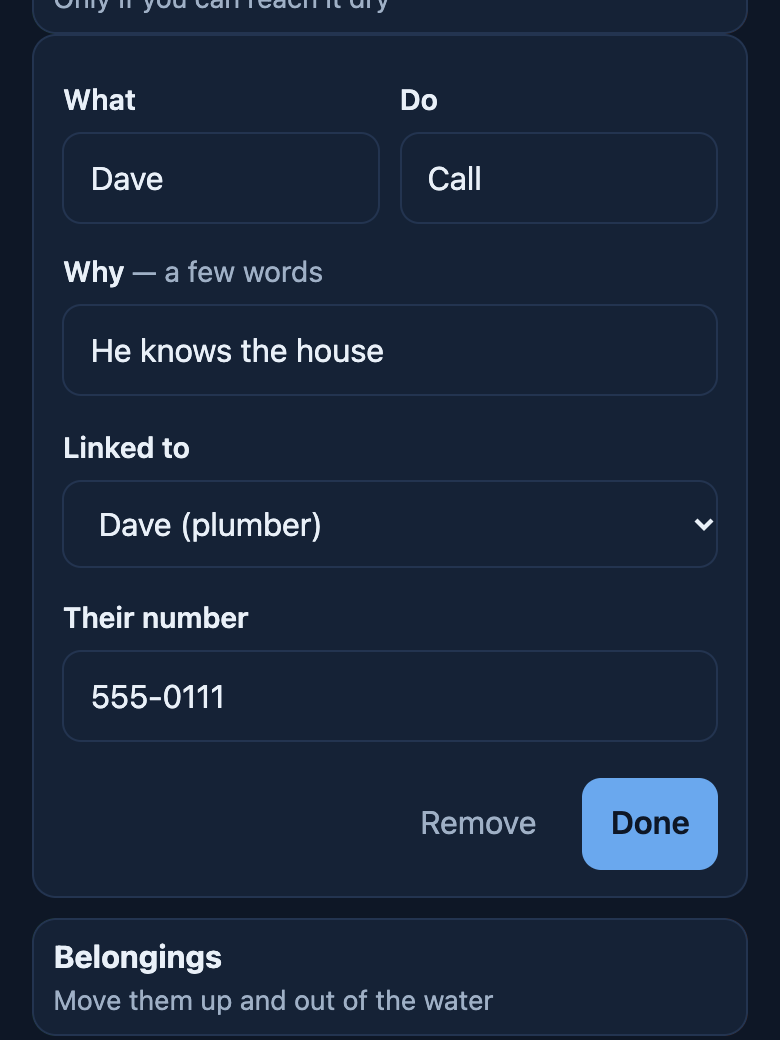 The plumber becomes your own: Dave, who knows the house.
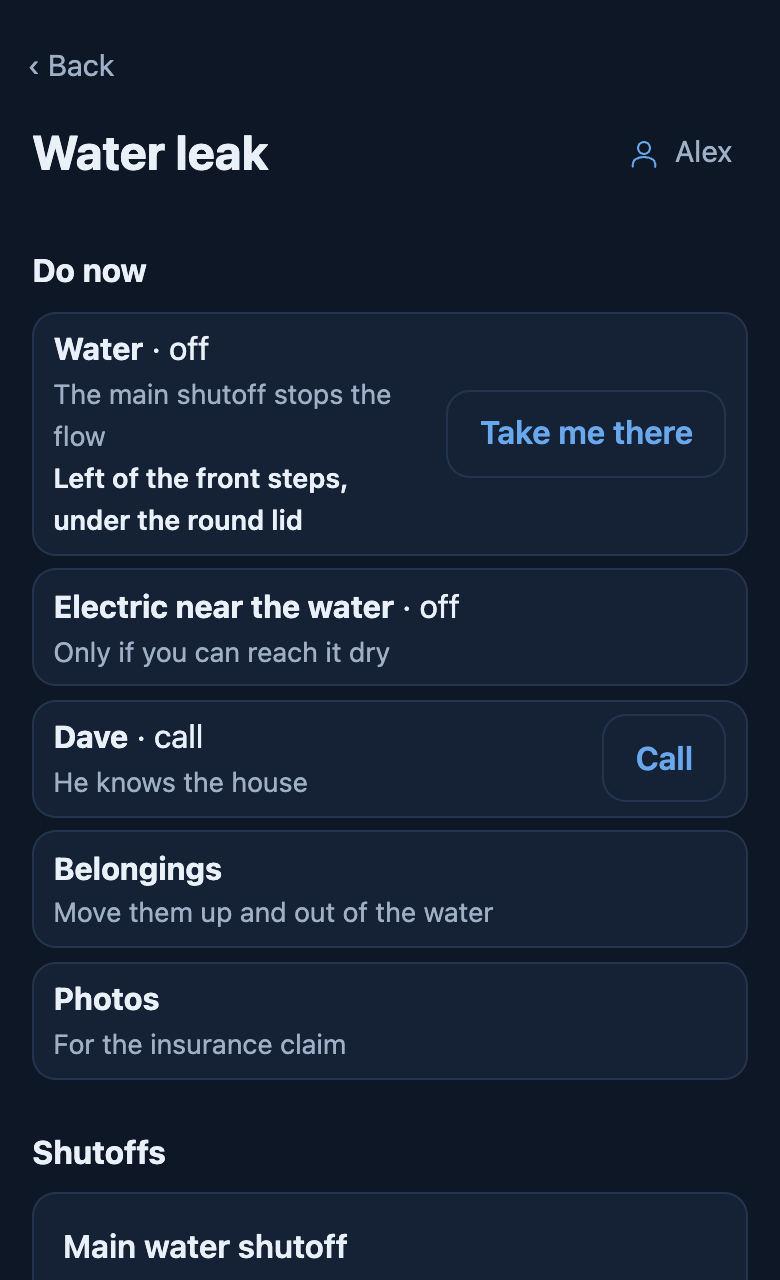 Saved. Dave has a Call button now.
A situation of your own
Not every emergency is on the list — a break-in, someone who shouldn’t be there. On the Emergency screen, › Something else to plan for: name it, and it sits on the screen with the rest.
Papers
The insurance policy, the deed, vehicle titles, vet records. For each: where the original is (“blue folder, top drawer of the desk”), its number, who to call about it, and a link if a copy is online. They’re under Papers on the Emergency screen, and a step can say to take them. Uploading the files themselves is coming later.
Shutoffs
On the Emergency screen, tap . They are grouped by water, electric, gas and propane, septic and irrigation, and each card leads with where it is.
To add one: › A shutoff, or A shutoff here on a building’s page. Type what it shuts off — main water, gas, main breaker — or add your own kind, like a sprinkler zone. Then write:
- Where it is, for someone who has never seen it, in the dark: “left of the front steps, under the round lid”.
- How it turns, and whether it needs a key or a wrench.
- What it doesn’t cover: “the shop has its own panel”.
- Does it turn? A valve nobody has turned in years often won’t. Each shutoff gets a yearly check-up to try it. The gas shutoff’s check is that the wrench is with it, not to turn it, since shutting gas off means relighting the pilots.
A shutoff is a thing, so it has its own page: Something broke, who serviced it, and its history.
A thing that has a shutoff
Some shutoffs belong to something else: the switch in the septic pump’s control box, the breaker for the well pump. Open that thing and use › Its shutoff. It shows on the thing’s page and on the Shutoffs screen. The septic control box also gets a check-up to test its high-water alarm.
Pins: marking where something is
Stand at it and tap . Shutoffs have it, and so does every thing and building — walk the property once and pin every hose bib as you go. The pin says how exact it is (“to within 6 m”).
opens the pin in Apple Maps or Google Maps for walking directions. Nothing is sent to either until you tap it.
Coming: a map of the property with everything you’ve pinned on it, and handing it to the next owner.
With no signal
- Everything you’ve written is on your phone, so the Shutoffs screen opens with no signal.
- Marking a pin works too: the phone’s location comes from satellites, not the internet. It can take a little longer and be less exact. The pin is saved on the phone and goes up when the signal is back.
- needs the maps app, which may not show the map without signal. That is why the written Where it is comes first.